<?xml version="1.0" encoding="utf-8"?><feed xmlns="http://www.w3.org/2005/Atom" ><generator uri="https://jekyllrb.com/" version="3.10.0">Jekyll</generator><link href="https://chhs1.github.io/feed.xml" rel="self" type="application/atom+xml" /><link href="https://chhs1.github.io/" rel="alternate" type="text/html" /><updated>2026-01-22T11:44:06+00:00</updated><id>https://chhs1.github.io/feed.xml</id><title type="html">chhs Blog</title><subtitle>A programmer&apos;s blog</subtitle><entry><title type="html">Self Hosted Music Discovery Playlists with ListenBrainz and Navidrome</title><link href="https://chhs1.github.io/blog/2026/01/22/self-hosted-discovery-playlists.html" rel="alternate" type="text/html" title="Self Hosted Music Discovery Playlists with ListenBrainz and Navidrome" /><published>2026-01-22T00:00:00+00:00</published><updated>2026-01-22T00:00:00+00:00</updated><id>https://chhs1.github.io/blog/2026/01/22/self-hosted-discovery-playlists</id><content type="html" xml:base="https://chhs1.github.io/blog/2026/01/22/self-hosted-discovery-playlists.html"><![CDATA[<h1 id="introduction">Introduction</h1>

<p>One observation I often see online when self-hosted music libraries are mentioned, is that they don’t offer the ability
to
generate discovery playlists like the big commercial services do. Spotify
offers <a href="https://newsroom.spotify.com/2025-06-30/discover-weekly-turns-10-celebrating-100-billion-tracks-streamed-and-a-decade-of-personalized-discovery/">Discover Weekly</a>,
which provides a personalized playlist every week of new songs recommended based on your listening habits.</p>

<p>I wanted to see what a self-hosted equivalent would be like, so I set it up for my music library, and here are the
instructions that you can follow for your own.</p>

<p><a href="https://listenbrainz.org/about/">ListenBrainz</a> provides the necessary data and service to generate a discovery playlist
that recommends new songs that you haven’t listened to before, as well as daily and weekly jams playlists based on your
recent listening history.</p>

<p><a href="https://www.navidrome.org/">Navidrome</a> is a self-hostable music library which supports generating these playlists for
us via a plugin, and can also upload our listening history to ListenBrainz to keep it up to date with our listening
habits to improve our
recommendations.</p>

<p>To follow this guide, you will need:</p>

<ul>
  <li>A local music collection with
files <a href="https://picard-docs.musicbrainz.org/en/about_picard/introduction.html">tagged with MusicBrainz metadata</a></li>
  <li>A Spotify or Last.fm account to import into ListenBrainz</li>
  <li><a href="https://docs.docker.com/engine/install/">Docker and Docker Compose</a></li>
</ul>

<h1 id="listenbrainz">ListenBrainz</h1>

<p>The first thing you’ll need to do is create a MusicBrainz account, visit
their <a href="https://musicbrainz.org/register?returnto=https://listenbrainz.org/">Create an account</a> page. You will need to
enter a username and password, an email is optional.</p>

<p>Next, we need to seed our listening history in order to have something to generate recommendations on. ListenBrainz
achieves this by ingesting data exports from services like Spotify and Last.fm.
Visit <a href="https://listenbrainz.org/settings/import/">Import your listening history</a> in your account settings, and follow
the instructions for the service that you use.</p>

<p>Now that you have some listening history, we also need to signal to ListenBrainz that we want to have playlists
generated for us.
The <a href="https://community.metabrainz.org/t/would-you-like-to-test-drive-our-first-recommendations-feature/626352">way to do this</a>
is to follow the user <em>troi-bot</em> on the ListenBrainz website,
visit <a href="https://listenbrainz.org/user/troi-bot/">troi-bot</a>, and click the profile icon with the plus located on the right
sidebar to follow the user.</p>

<p>Playlists are generated weekly on a Monday morning based on your local timezone, so it may take a while before you see
these playlists in your recommendations.</p>

<h1 id="navidrome">Navidrome</h1>

<p>Now that we have some recommendations, we need to generate them as playlists in Navidrome. We also want to keep
ListenBrainz up to date with our listening habits to improve the recommendations over time.</p>

<h2 id="installation">Installation</h2>

<p>We will be installing Navidrome, using Docker for brevity, but this is not a requirement, and you are free to use any of
the <a href="https://www.navidrome.org/docs/installation/">installation methods</a> documented on the project website.</p>

<p>In a new directory, create the file <code class="language-plaintext highlighter-rouge">compose.yml</code> with the following contents:</p>

<div class="language-yaml highlighter-rouge"><div class="highlight"><pre class="highlight"><code><span class="na">services</span><span class="pi">:</span>
  <span class="na">navidrome</span><span class="pi">:</span>
    <span class="na">image</span><span class="pi">:</span> <span class="s">deluan/navidrome:latest</span>
    <span class="na">user</span><span class="pi">:</span> <span class="s">1000:1000</span>
    <span class="na">ports</span><span class="pi">:</span>
      <span class="pi">-</span> <span class="s1">'</span><span class="s">4533:4533'</span>
    <span class="na">environment</span><span class="pi">:</span>
      <span class="na">ND_CONFIGFILE</span><span class="pi">:</span> <span class="s">/path/to/data/navidrome.toml</span>
    <span class="na">volumes</span><span class="pi">:</span>
      <span class="pi">-</span> <span class="s1">'</span><span class="s">/path/to/data:/data'</span>
      <span class="pi">-</span> <span class="s1">'</span><span class="s">/path/to/music:/music:ro'</span>
</code></pre></div></div>

<p>Start up Navidrome by running <code class="language-plaintext highlighter-rouge">docker compose up -d</code>.</p>

<p>Visit <a href="http://localhost:4533">Navidrome</a> in your browser to complete the setup. You need to enter a username and
password for the initial account.</p>

<h3 id="scrobble-listening-history">Scrobble listening history</h3>

<p>We also want to keep ListenBrainz up to date with the songs that we listen to within Navidrome. This can be done
natively by Navidrome, all it needs is a token which will authenticate you with ListenBrainz. Visit your personal
settings and enable <em>Scrobble to ListenBrainz</em>. A modal will appear prompting you to enter your ListenBrainz user token,
along with a link to where it is located on the ListenBrainz website. Copy the token into the modal and save it in
Navidrome.</p>

<h3 id="installing-the-listenbrainz-plugin">Installing the ListenBrainz plugin</h3>

<p>To automatically generate our playlists within Navidrome, we will use
the <a href="https://github.com/kgarner7/navidrome-listenbrainz-daily-playlist">navidrome-listenbrainz-daily-playlist</a> plugin.
We need to download and install the plugin from the GitHub repository into Navidrome.</p>

<p>Download the <a href="https://github.com/kgarner7/navidrome-listenbrainz-daily-playlist/releases">latest release</a>
<code class="language-plaintext highlighter-rouge">listenbrainz-daily-playlist.ndp</code> file and copy it into your <code class="language-plaintext highlighter-rouge">/data/plugins</code> directory.</p>

<p>Run the following command to install the plugin into Navidrome.</p>

<div class="language-bash highlighter-rouge"><div class="highlight"><pre class="highlight"><code>docker compose <span class="nb">exec </span>navidrome /app/navidrome plugin <span class="nb">install</span> /data/plugins/listenbrainz-daily-playlist.ndp
</code></pre></div></div>

<p>Next, in your <code class="language-plaintext highlighter-rouge">/data</code> directory, create the file <code class="language-plaintext highlighter-rouge">navidrome.toml</code> with the following contents. This will enable plugins,
and configure the ListenBrainz daily playlist plugin to generate daily and weekly jam playlists, and a weekly
exploration playlist.</p>

<div class="language-toml highlighter-rouge"><div class="highlight"><pre class="highlight"><code><span class="nn">[Plugins]</span>
<span class="py">Enabled</span> <span class="p">=</span> <span class="kc">true</span>

<span class="nn">[PluginConfig.listenbrainz-daily-playlist]</span>
<span class="py">Split</span> <span class="p">=</span> <span class="s">";"</span>
<span class="py">Schedule</span> <span class="p">=</span> <span class="s">"@every 24h"</span>
<span class="py">Sources</span> <span class="p">=</span> <span class="s">"daily-jams;weekly-jams;weekly-exploration"</span>
<span class="py">"Sources[0]"</span> <span class="p">=</span> <span class="s">"ListenBrainz Daily Jams"</span>
<span class="py">"Sources[1]"</span> <span class="p">=</span> <span class="s">"ListenBrainz Weekly Jams"</span>
<span class="py">"Sources[2]"</span> <span class="p">=</span> <span class="s">"ListenBrainz Weekly Exploration"</span>
<span class="py">Users</span> <span class="p">=</span> <span class="s">"&lt;navidrome username&gt;"</span>
<span class="py">"Users[0]"</span> <span class="p">=</span> <span class="s">"&lt;listenbrainz username&gt;"</span>
</code></pre></div></div>

<p>We’ll restart Navidrome to pick up the new configuration, and it will generate the playlists.</p>

<p>You can verify that the plugin is installed and generating playlists by checking the Navidrome logs. It’s possible that
the playlists do not appear in Navidrome, which means that you do not have the recommended songs in your library.</p>

<div class="language-text highlighter-rouge"><div class="highlight"><pre class="highlight"><code>[...] msg="[LBZ Playlist Fetcher]Missing or outdated playlists, fetching on initial sync"
[...] msg="[LBZ Playlist Fetcher]Successfully processed playlist ListenBrainz Daily Jams for user &lt;navidrome username&gt;"
[...] msg="[LBZ Playlist Fetcher]Successfully processed playlist ListenBrainz Weekly Jams for user &lt;navidrome username&gt;"
[...] msg="[LBZ Playlist Fetcher]Successfully processed playlist ListenBrainz Weekly Exploration for user &lt;navidrome username&gt;"
[...] msg="[LBZ Playlist Fetcher]init success"
</code></pre></div></div>

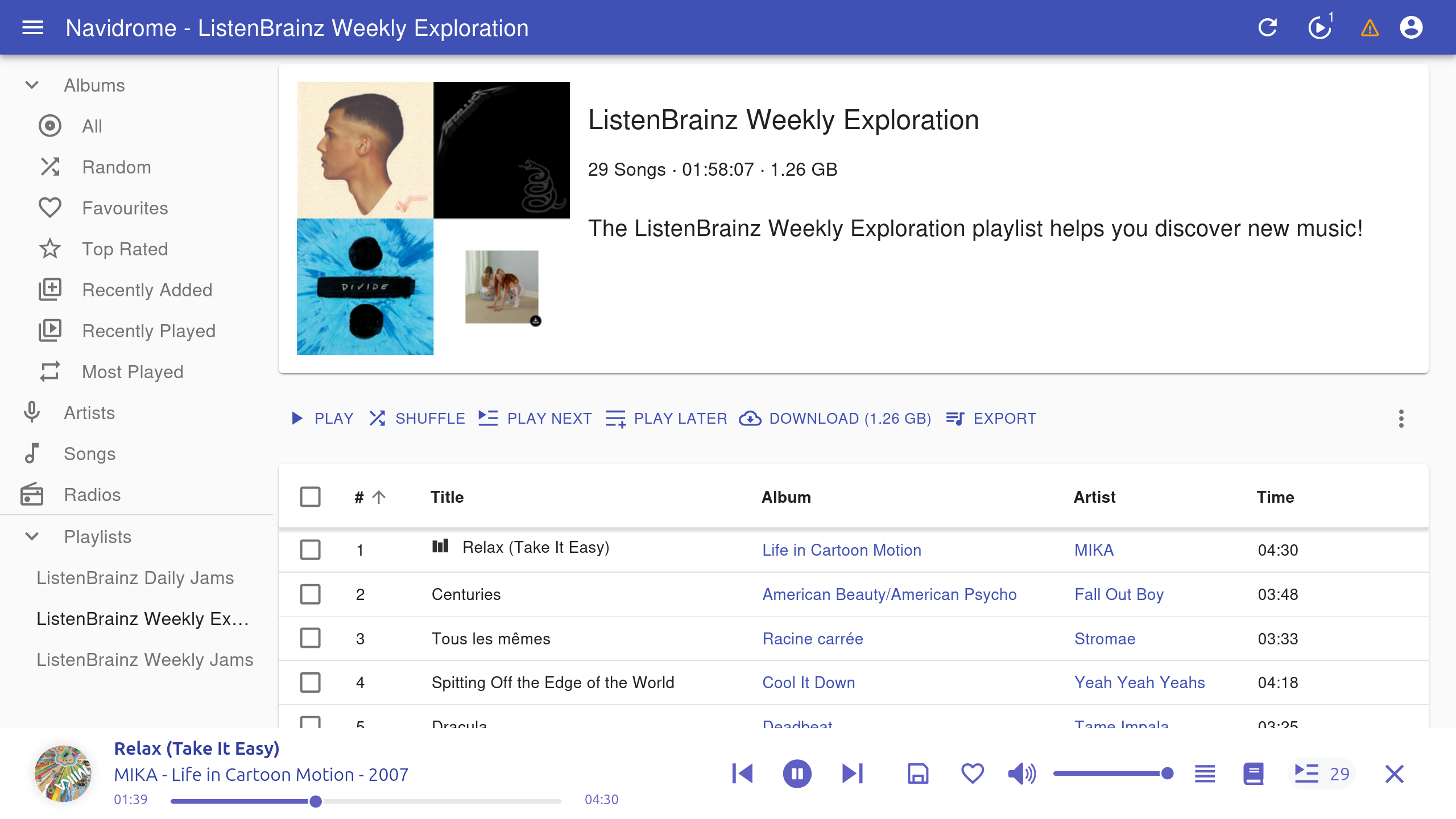
<p>Visit <a href="http://localhost:4533/app/#/playlist">Playlists</a> in Navidrome to see your generated playlists.</p>

<p><img src="/assets/blog/self-hosted-discovery-playlists/navidrome-playlists.png" alt="Navidrome showing ListenBrainz Weekly Exploration playlist" /></p>

<h1 id="how-does-it-do">How does it do?</h1>

<p>Overall, I’m impressed with the generated playlists, it has offered me a similar experience to Spotify with its
recommendations. It’s an automatic solution that generates new playlists for me without any additional effort on my
part.</p>

<p>One downside that I’ve experienced is when ListenBrainz recommends songs that are not in my library. It isn’t aware of
what I have in my local library, so if I don’t happen to have some of the songs then the playlist is shorter than
usual. This can be avoided when using <a href="https://troi.readthedocs.io/en/latest/">Troi</a>, where it will continuously search
for songs until the playlist reaches the desired length, but that requires running the tool manually.</p>

<p>Hopefully I’ve shown that it is possible to get a discover weekly playlist with a self-hosted music library, and that
you’ll give it a try.</p>]]></content><author><name></name></author><category term="blog" /><summary type="html"><![CDATA[Introduction]]></summary></entry><entry><title type="html">From YouTube channel to RSS video podcast, backed with BitTorrent</title><link href="https://chhs1.github.io/blog/2022/03/08/youtube-rss-torrent.html" rel="alternate" type="text/html" title="From YouTube channel to RSS video podcast, backed with BitTorrent" /><published>2022-03-08T09:00:00+00:00</published><updated>2022-03-08T09:00:00+00:00</updated><id>https://chhs1.github.io/blog/2022/03/08/youtube-rss-torrent</id><content type="html" xml:base="https://chhs1.github.io/blog/2022/03/08/youtube-rss-torrent.html"><![CDATA[<p>Wouldn’t it be great to publish video content, but not have to pay for all the infrastructure necessary to deliver it to
your subscribers? By combining youtube-dl, RSS feeds, and BitTorrent, we can deliver our video content with the power of
a peer-to-peer network.</p>

<p>This post assumes that you are familiar with both <a href="https://en.wikipedia.org/wiki/BitTorrent">BitTorrent</a>
and <a href="https://en.wikipedia.org/wiki/RSS">RSS</a>.</p>

<h2 id="method">Method</h2>

<p>There aren’t a lot of steps involved to convert a YouTube channel into an RSS feed:</p>

<ol>
  <li>Download all videos from the channel</li>
  <li>Create a torrent of each video</li>
  <li>Generate an RSS feed</li>
  <li>Host the RSS feed</li>
  <li>Import the torrents and videos into a BitTorrent client</li>
</ol>

<p>Ideally, we do this in a way that it’s easy to reuse prior work, e.g. we don’t download the same video twice. We’ll also
automate this as much as possible, so we don’t have to do a lot of manual work.</p>

<h3 id="download-all-videos-from-the-channel">Download all videos from the channel</h3>

<p>Luckily for us there is already a great tool out there that will do this job perfectly for
us. <a href="https://youtube-dl.org/">youtube-dl</a> will not only download the videos, but also the metadata like the title,
description, and publication date. We’ll want to include these in our RSS feed.</p>

<p>To get the videos, we just give youtube-dl our channel URL, let’s use the BBC News
channel <code class="language-plaintext highlighter-rouge">https://www.youtube.com/c/BBCNews</code> as an example here.</p>

<p>Since we need some metadata for the RSS feed, like the title, description, and publication date, we
add <code class="language-plaintext highlighter-rouge">--write-info-json</code> to collect that in a separate JSON file.</p>

<p>We also don’t want to download the same file twice if we are interrupted or want to update our feed later, so we’ll also
add <code class="language-plaintext highlighter-rouge">--download-archive downloaded.txt</code>. This tells youtube-dl to record each video it downloads in the downloaded.txt
file, and won’t download one again if it is listed there.</p>

<p>Our final youtube-dl command:</p>

<div class="language-bash highlighter-rouge"><div class="highlight"><pre class="highlight"><code>youtube-dl <span class="se">\</span>
  <span class="nt">--write-info-json</span> <span class="se">\</span>
  <span class="nt">--download-archive</span> downloaded.txt <span class="se">\</span>
  https://www.youtube.com/c/BBCNews
</code></pre></div></div>

<p>Here we can see the files that youtube-dl has created (for the sake of this example, I limited the number of videos it
downloaded to 3):</p>

<div class="language-text highlighter-rouge"><div class="highlight"><pre class="highlight"><code>$ ls
downloaded.txt                                                           
Fighting misinformation in Russia's invasion of Ukraine - BBC News-HqipD0-OXqw.info.json
Fighting misinformation in Russia's invasion of Ukraine - BBC News-HqipD0-OXqw.mp4
Heavy fighting near Ukraine's capital Kyiv  - BBC News-CbfqprwQpls.info.json
Heavy fighting near Ukraine's capital Kyiv  - BBC News-CbfqprwQpls.mp4
War in Ukraine - Seven days that changed the world - BBC News-BzR_K2tEXSo.info.json
War in Ukraine - Seven days that changed the world - BBC News-BzR_K2tEXSo.mp4
</code></pre></div></div>

<p>We can also view the JSON metadata:</p>

<div class="language-shell highlighter-rouge"><div class="highlight"><pre class="highlight"><code><span class="nv">$ </span>jq <span class="s1">'{title,description,upload_date,webpage_url}'</span> <span class="s2">"Fighting misinformation in Russia's invasion of Ukraine - BBC News-HqipD0-OXqw.info.json"</span>
</code></pre></div></div>

<div class="language-json highlighter-rouge"><div class="highlight"><pre class="highlight"><code><span class="p">{</span><span class="w">
  </span><span class="nl">"title"</span><span class="p">:</span><span class="w"> </span><span class="s2">"Heavy fighting near Ukraine's capital Kyiv  - BBC News"</span><span class="p">,</span><span class="w">
  </span><span class="nl">"description"</span><span class="p">:</span><span class="w"> </span><span class="s2">"People in the town of Irpin have been seen running to escape Russian bombardment.</span><span class="se">\n\n</span><span class="s2">At least three people are reportedly killed fleeing the town of Irpin, after Russian mortar shells targeted a damaged bridge they were using</span><span class="se">\n\n</span><span class="s2">The Ukrainian military has been helping residents get to safety.</span><span class="se">\n\n</span><span class="s2">Situated 20km (12 miles) north-west of Kyiv, Irpin is near the strategic Hostomel airfield, and the front of the huge Russian convoy assembled near the capital.</span><span class="se">\n\n</span><span class="s2">Please subscribe HERE http://bit.ly/1rbfUog</span><span class="se">\n\n</span><span class="s2">#BBCNews"</span><span class="p">,</span><span class="w">
  </span><span class="nl">"upload_date"</span><span class="p">:</span><span class="w"> </span><span class="s2">"20220306"</span><span class="p">,</span><span class="w">
  </span><span class="nl">"webpage_url"</span><span class="p">:</span><span class="w"> </span><span class="s2">"https://www.youtube.com/watch?v=CbfqprwQpls"</span><span class="w">
</span><span class="p">}</span><span class="w">
</span></code></pre></div></div>

<h3 id="create-a-torrent-of-each-video">Create a torrent of each video</h3>

<p>Now that we have our video and metadata files, we need to generate torrents of them<!-- Get it? -->. Torrent files allow
users to download the videos through the BitTorrent network. Since we may have a lot of videos in our channel we should
try and automate the process.</p>

<p>I opted to use the Python <a href="http://bittorrent.org/beps/bep_0052_torrent_creator.py">reference implementation</a> available
in <a href="http://bittorrent.org/beps/bep_0052.html">BEP 52</a>, since it will generate metadata in a hybrid format that will be
compatible with both v1 and v2 formats. For Bencoding, I used <a href="https://github.com/utdemir/bencoder">bencoder</a>, a simple
decoder-encoder for the torrent file format.</p>

<p>With these dependencies, and using the <code class="language-plaintext highlighter-rouge">.info.json</code> files we got from youtube-dl, we can generate a <code class="language-plaintext highlighter-rouge">.torrent</code> file for
each video.</p>

<div class="language-shell highlighter-rouge"><div class="highlight"><pre class="highlight"><code><span class="nv">$ </span><span class="nb">ls</span> <span class="k">*</span>.torrent
</code></pre></div></div>

<div class="language-text highlighter-rouge"><div class="highlight"><pre class="highlight"><code>Fighting misinformation in Russia's invasion of Ukraine - BBC News-HqipD0-OXqw.mp4.torrent  
Heavy fighting near Ukraine's capital Kyiv  - BBC News-CbfqprwQpls.mp4.torrent
War in Ukraine - Seven days that changed the world - BBC News-BzR_K2tEXSo.mp4.torrent
</code></pre></div></div>

<p>Using <a href="https://github.com/idlesign/torrentool">torrentool</a>, a CLI tool for working with torrent files, we can see a bit
more information about these torrent files.</p>

<div class="language-shell highlighter-rouge"><div class="highlight"><pre class="highlight"><code><span class="nv">$ </span>torrentool torrent info <span class="s2">"Fighting misinformation in Russia's invasion of Ukraine - BBC News-HqipD0-OXqw.mp4.torrent"</span>
</code></pre></div></div>

<div class="language-text highlighter-rouge"><div class="highlight"><pre class="highlight"><code>Name: Fighting misinformation in Russia's invasion of Ukraine - BBC News-HqipD0-OXqw.mp4
Files:
Fighting misinformation in Russia's invasion of Ukraine - BBC News-HqipD0-OXqw.mp4
Hash: 368469a45f9d936fd0f7d45ff231d8f0d62443b6
Size: 19.76 MB (20716627)
Magnet: magnet:?xt=urn:btih:368469a45f9d936fd0f7d45ff231d8f0d62443b6
</code></pre></div></div>

<h3 id="generate-an-rss-feed">Generate an RSS feed</h3>

<p>Now that we have our torrent files, we need to generate an RSS feed. This is simple enough to do in Python
with <a href="https://github.com/svpino/rfeed">rfeed</a>. Using the JSON metadata, we can translate this into our required channel
RSS XML.</p>

<p>We also want to generate a <a href="https://en.wikipedia.org/wiki/Magnet_URI_scheme">magnet link</a> for each file, which will
allow RSS subscribers to start a BitTorrent download without us having to provide the torrent files to them via
traditional hosting. They will instead fetch them via the BitTorrent client.</p>

<p>Our final RSS feed, <code class="language-plaintext highlighter-rouge">feed.xml</code>:</p>

<div class="language-xml highlighter-rouge"><div class="highlight"><pre class="highlight"><code><span class="cp">&lt;?xml version="1.0" ?&gt;</span>
<span class="nt">&lt;rss</span> <span class="na">version=</span><span class="s">"2.0"</span><span class="nt">&gt;</span>
    <span class="nt">&lt;channel&gt;</span>
        <span class="nt">&lt;title&gt;</span>BBC News<span class="nt">&lt;/title&gt;</span>
        <span class="nt">&lt;link&gt;</span>https://www.youtube.com/channel/UC16niRr50-MSBwiO3YDb3RA<span class="nt">&lt;/link&gt;</span>
        <span class="nt">&lt;description/&gt;</span>
    <span class="nt">&lt;/channel&gt;</span>
    <span class="nt">&lt;items&gt;</span>
        <span class="nt">&lt;item&gt;</span>
            <span class="nt">&lt;title&gt;</span>Fighting misinformation in Russia's invasion of Ukraine - BBC News<span class="nt">&lt;/title&gt;</span>
            <span class="nt">&lt;link&gt;</span>https://www.youtube.com/watch?v=HqipD0-OXqw<span class="nt">&lt;/link&gt;</span>
            <span class="nt">&lt;description&gt;</span>
                Russia's invasion of Ukraine has been accompanied by false or misleading viral videos and images about
                the war [...]
            <span class="nt">&lt;/description&gt;</span>
            <span class="nt">&lt;pubDate&gt;</span>Sun, 06 Mar 2022 00:00:00 GMT<span class="nt">&lt;/pubDate&gt;</span>
            <span class="nt">&lt;enclosure</span> <span class="na">type=</span><span class="s">"application/x-bittorrent"</span>
                       <span class="na">url=</span><span class="s">"magnet:?dn=Fighting+misinformation+in+Russia%27s+invasion+of+Ukraine+-+BBC+News&amp;amp;xt=urn%3Abtih%3Acffb3d1ecc663aaaf9061528e89edf3dc49ba1d1&amp;amp;xt=urn%3Abtmh%3A1220997045ef4607522f7368ac55ce5937e7275ce9744bff4be61eaef655b2e82e79"</span>
                       <span class="na">length=</span><span class="s">"0"</span><span class="nt">/&gt;</span>
            <span class="nt">&lt;guid</span> <span class="na">isPermaLink=</span><span class="s">"true"</span><span class="nt">&gt;</span>https://www.youtube.com/watch?v=HqipD0-OXqw<span class="nt">&lt;/guid&gt;</span>
        <span class="nt">&lt;/item&gt;</span>
        ...
    <span class="nt">&lt;/items&gt;</span>
<span class="nt">&lt;/rss&gt;</span>
</code></pre></div></div>

<h3 id="host-the-rss-feed">Host the RSS feed</h3>

<p>An RSS file can be cheaply hosted on any HTTP server. For testing purposes, we can host it locally with Python.</p>

<div class="language-shell highlighter-rouge"><div class="highlight"><pre class="highlight"><code><span class="nv">$ </span>python <span class="nt">-m</span> http.server
Serving HTTP on 0.0.0.0 port 8000 <span class="o">(</span>http://0.0.0.0:8000/<span class="o">)</span> ...
</code></pre></div></div>

<h3 id="import-the-torrents-and-videos-into-a-bittorrent-client">Import the torrents and videos into a BitTorrent client</h3>

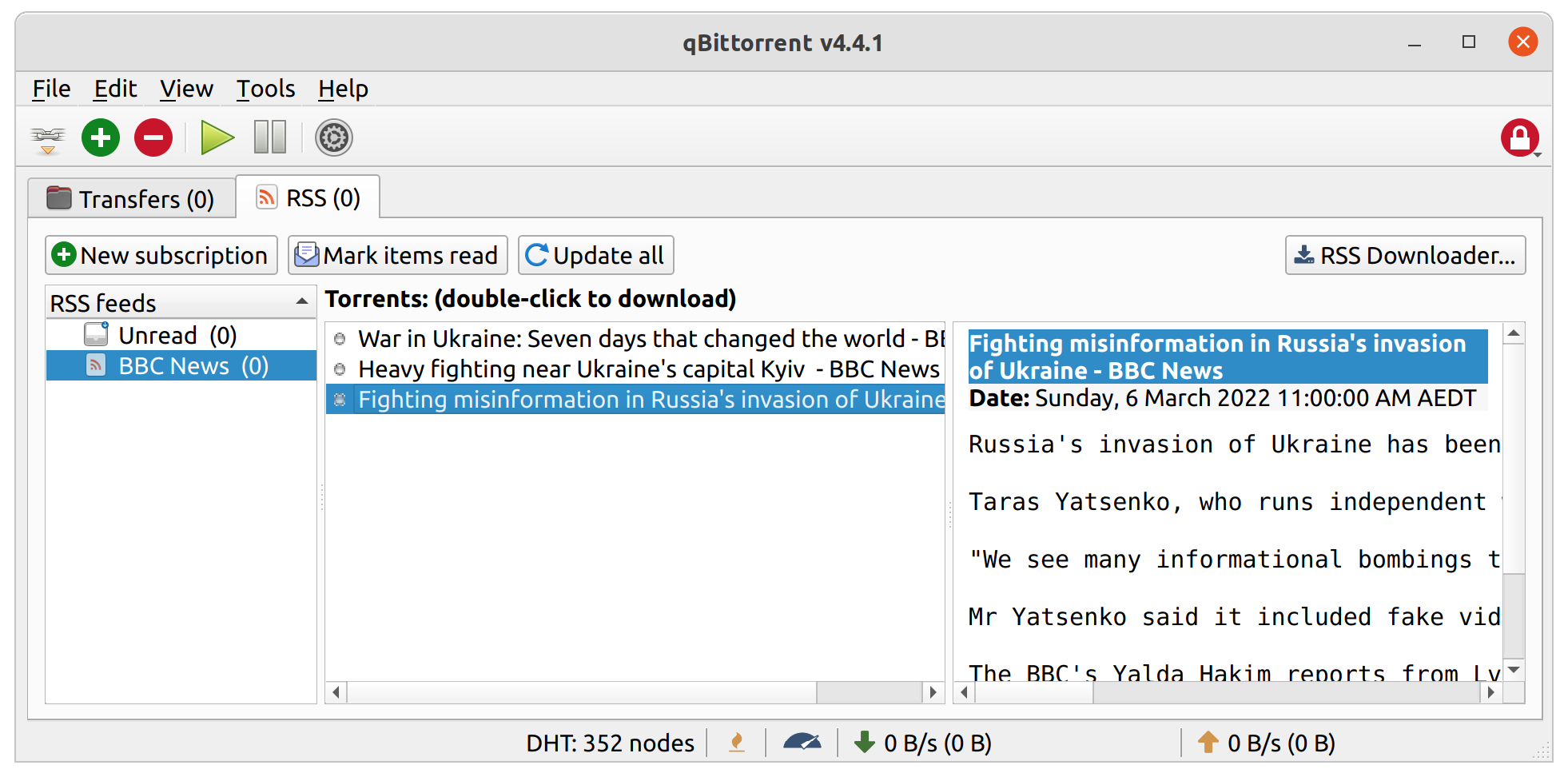
<p>Now if we go to our BitTorrent client of choice (<a href="https://www.qbittorrent.org/">qBitTorrent</a>) we should be able to
access the feed at <code class="language-plaintext highlighter-rouge">http://localhost:8000/feed.xml</code>.</p>

<p><img src="/assets/blog/youtube-rss-torrent/qbittorrent-rss.png" alt="qBitTorrent client listing three BBC feed items, with 'double-click' to download as a header" /></p>

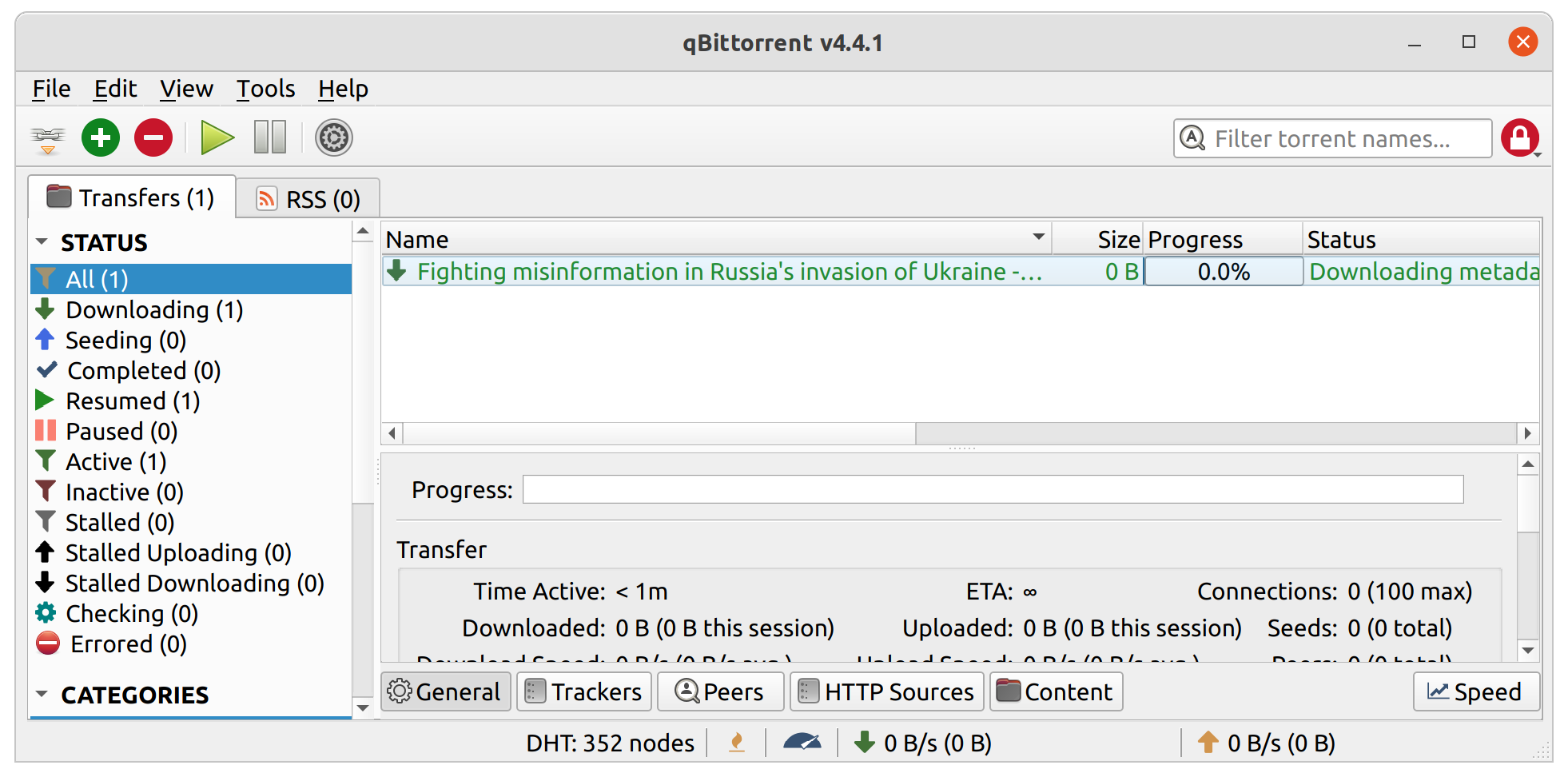
<p>If we select one of the items, we can start downloading it.</p>

<p><img src="/assets/blog/youtube-rss-torrent/qbittorrent-pending.png" alt="qBitTorrent client listing three BBC videos as 'Downloading metadata'" /></p>

<p>The screenshot above shows that the download is stuck in the ‘Downloading metadata’ stage. Since we’re the creator of
the torrent, we need to provide the client with a bit more information.</p>

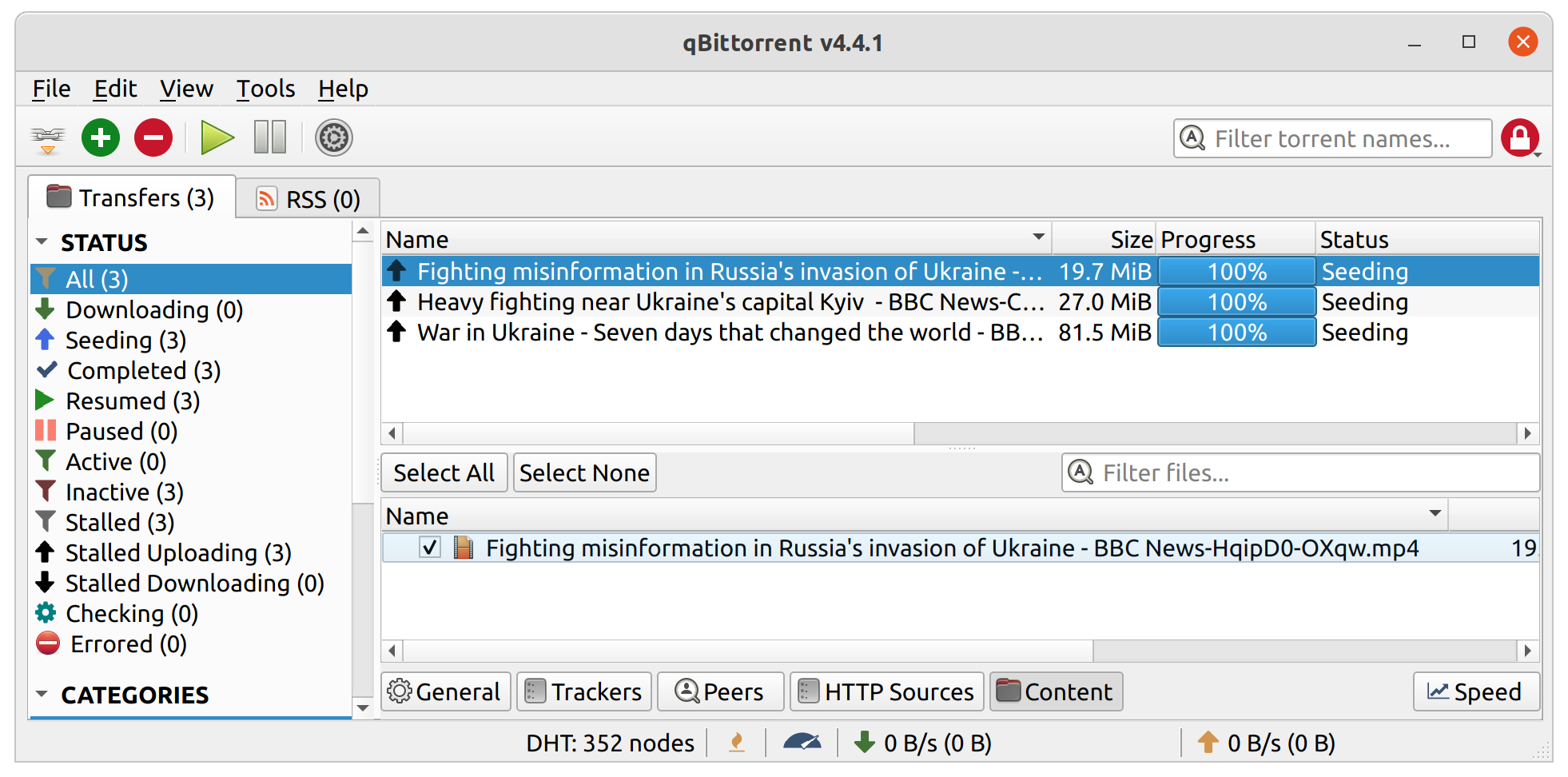
<p>We need to manually import the torrent metadata files, and the corresponding video files into our BitTorrent client so
that we can start seeding both of these to other users on the network. It’s as simple as copying the video files into
the download directory and manually opening the metadata files with the client, the client will automatically detect the
video files, and start seeding.</p>

<p><img src="/assets/blog/youtube-rss-torrent/qbittorrent-seeding.png" alt="qBitTorrent client listing three BBC videos as 'Seeding'" /></p>

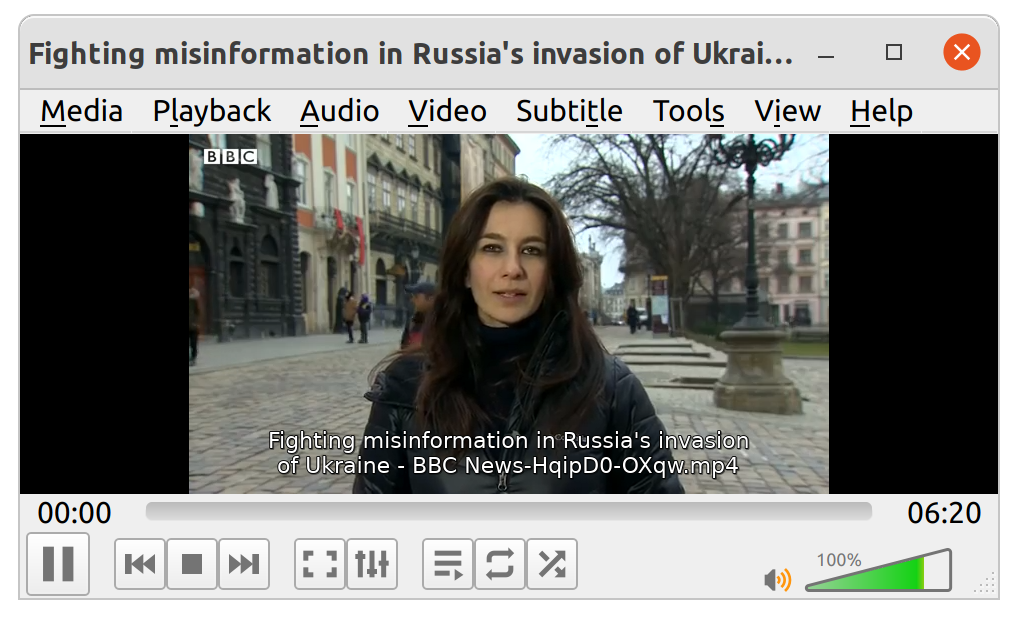
<p>We can double-click one of the completed video files to watch it.</p>

<p><img src="/assets/blog/youtube-rss-torrent/vlc-bbc.png" alt="VLC Media Player showing the first frame of the BBC News example video" /></p>

<p>We’re done! Anyone who subscribes to this RSS feed now can download any of the content from our BitTorrent client. As
more people download, we will be required less and less to upload data, as pieces will be shared amongst all
participants on the network.</p>

<h2 id="conclusions">Conclusions</h2>

<p>So, hopefully I’ve proved that you <em>could</em> convert your YouTube channel into a video podcast. Now let’s talk about why
you probably shouldn’t. Or at least, why you shouldn’t if your target audience member is an existing podcast consumer.</p>

<h3 id="podcast-applications-dont-support-torrents">Podcast applications don’t support torrents</h3>

<p>The biggest problem I see in doing this is that whilst you can easily subscribe to a torrent RSS feed with any
BitTorrent client, the same can’t be said for podcast applications. The typical user won’t be able to subscribe to your
RSS feed, because torrents are just not supported. At best, the podcast client will complain that there’s no media file
linked to the feed item, and at worst it will outright reject the feed.</p>

<p>BitTorrent clients aren’t designed for podcast consumption and management, and I don’t think people are going to switch
away from a podcast-focused application because of the inconvenience it would cause in consuming media. Even BitTorrent
users would agree, as many use other programs manage their media, using the BitTorrent client only as a
download manager via API calls.</p>

<h3 id="podcast-platform-technical-requirements-are-a-blocker">Podcast platform technical requirements are a blocker</h3>

<p>The lack of torrent support with RSS will also affect your ability to get your podcast listed in a directory, like Apple
podcasts for example. Most podcast platforms that I am aware of have technical requirements on how media is delivered
to the end user, requiring content be streamable over HTTP.</p>

<p>Using peer-to-peer to host media content with RSS feeds isn’t a new concept though. Added to
the <a href="https://www.rssboard.org/media-rss#media-peerlink">Media RSS specification</a> in 2009, a <code class="language-plaintext highlighter-rouge">peerLink</code> element which
allows specifying a peer-to-peer link to a media object. Unfortunately there’s no need for podcast applications or
platforms to include peer-to-peer support, since the client-server approach works well enough and is simpler to
implement.</p>

<h3 id="an-alternative-to-youtube-or-other-video-platforms">An alternative to YouTube, or other video platforms</h3>

<p>While not an outright replacement for these large video platforms, it is possible to use RSS feeds and torrent-served
media to distribute your content. The problem is the other features that these hosting platforms provide which RSS does
not give you, namely search and discovery. You are going to need to publish your feed somewhere where it can be indexed,
searched, and discovered by others.</p>

<p>You are also going to lose out on analytics and activities like views, likes, dislikes. You could use BitTorrent
downloads, peer and seed numbers as a proxy for some of these, but are probably going to be pretty inaccurate.</p>

<p>I don’t think it’s possible to be truly independent of these big platforms, but if you want your content to still be
accessible by some means if removed from a platform, this could work.</p>

<h3 id="improvements">Improvements</h3>

<p>Some other things I thought of adding but weren’t necessary to prove the concept.</p>

<p>While this feed will never meet
the <a href="https://podcasters.apple.com/support/823-podcast-requirements">Apple Podcast RSS feed requirements</a>, which requires
that content be streamable via an HTTP server, it also doesn’t meet
the <a href="https://help.apple.com/itc/podcasts_connect/#/itcb54353390">metadata requirements</a>. This requires additional
information about the content that we can’t easily determine with just youtube-dl. This will either need to be supplied
manually by the user, or maybe scraped from YouTube via an API.</p>

<p>There are many BitTorrent Enhancement Proposals (BEPs), with various levels of adoption, which provide some neat
additional features that we could enjoy:</p>

<ul>
  <li>
    <p>With <a href="http://www.bittorrent.org/beps/bep_0039.html">BEP 39</a>, we could include a link to our RSS feed inside the
torrent file so subscribers could automatically see new episodes or revisions to our content. If someone found one of
our torrents without subscribing to our RSS feed, they could still subscribe to new items, or view older items in the
feed.</p>
  </li>
  <li>
    <p>With <a href="http://www.bittorrent.org/beps/bep_0046.html">BEP 46</a>, we don’t even need an RSS feed and could instead publish
items via the <a href="https://en.wikipedia.org/wiki/Mainline_DHT">DHT</a>.</p>
  </li>
  <li>
    <p>With <a href="http://www.bittorrent.org/beps/bep_0053.html">BEP 53</a>, we could create one torrent file with multiple video
qualities, and include metadata in the RSS feed of the quality of each file, deep linking to each one via magnet link.
Consumers could then automatically download in the quality that they choose. Files are still served via a single
torrent swarm, and can share the metadata between them.</p>
  </li>
</ul>

<h2 id="code">Code</h2>

<p>If you are interested and would like to play around with this, you
can <a href="https://github.com/chhs1/youtube-rss-torrent">view the code here on GitHub</a>. You are free to do whatever you wish
with it.</p>

<p>Thanks for reading.</p>]]></content><author><name></name></author><category term="blog" /><summary type="html"><![CDATA[Wouldn’t it be great to publish video content, but not have to pay for all the infrastructure necessary to deliver it to your subscribers? By combining youtube-dl, RSS feeds, and BitTorrent, we can deliver our video content with the power of a peer-to-peer network.]]></summary></entry></feed>